How it works
SupplierTrust links a supplier’s badge to a signed source record, so a buyer can check the claim and the evidence behind it. The department defines the permitted claim; the badge says that and nothing more.
- Source recordspecified for the test
- Signed credentialissued from that record
- Supplier’s badgeon its own website
- The buyer’s checkone click, five checks
- Signed receiptkept with the file
The five checks
- Source claim & freshness
- Signatures & issuer trust
- Public claims
- Display origin
- Credential status
What makes a check fail
- Source too old: the freshness check fails
- Copied badge: the display-origin check fails
- Issuer revokes it: the credential-status check fails
Screens from our working prototype, with a fictional supplier and a test issuer.
1. A source record supports a specific claim
A source is the list or register a claim comes from. The source record is the supplier’s entry in it, captured and signed with the time it was read. For TS13, Amendment 002 names procurement data from Open Government datasets as test data until Canada names the public source for contract award and good standing. Our demonstration uses a fictional supplier register.
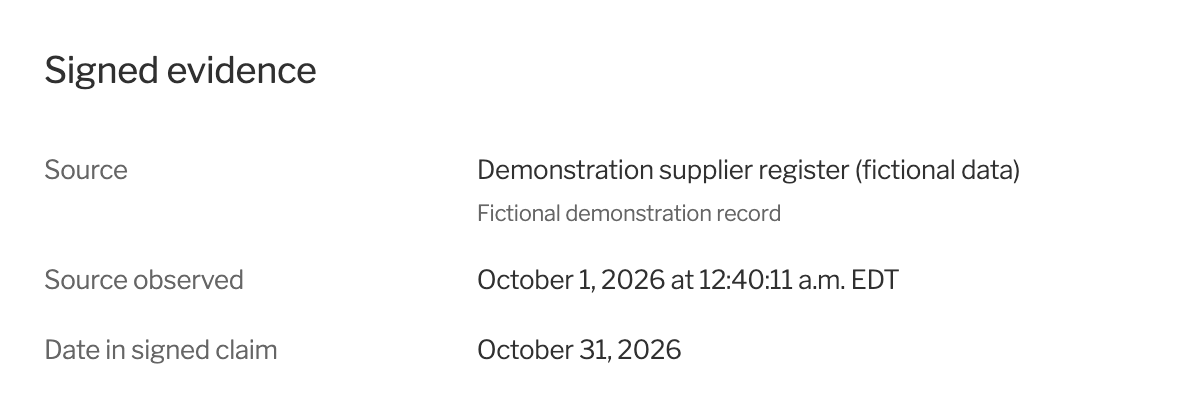
The evidence behind a badge: the source, when it was observed, and the date in the signed claim. 2. The supplier shows the badge on its own website
The badge is tied to the supplier’s website. The badge presents three supplier business fields: the supplier’s name, its status in the source and a valid-until date. Anyone can click through to the evidence.
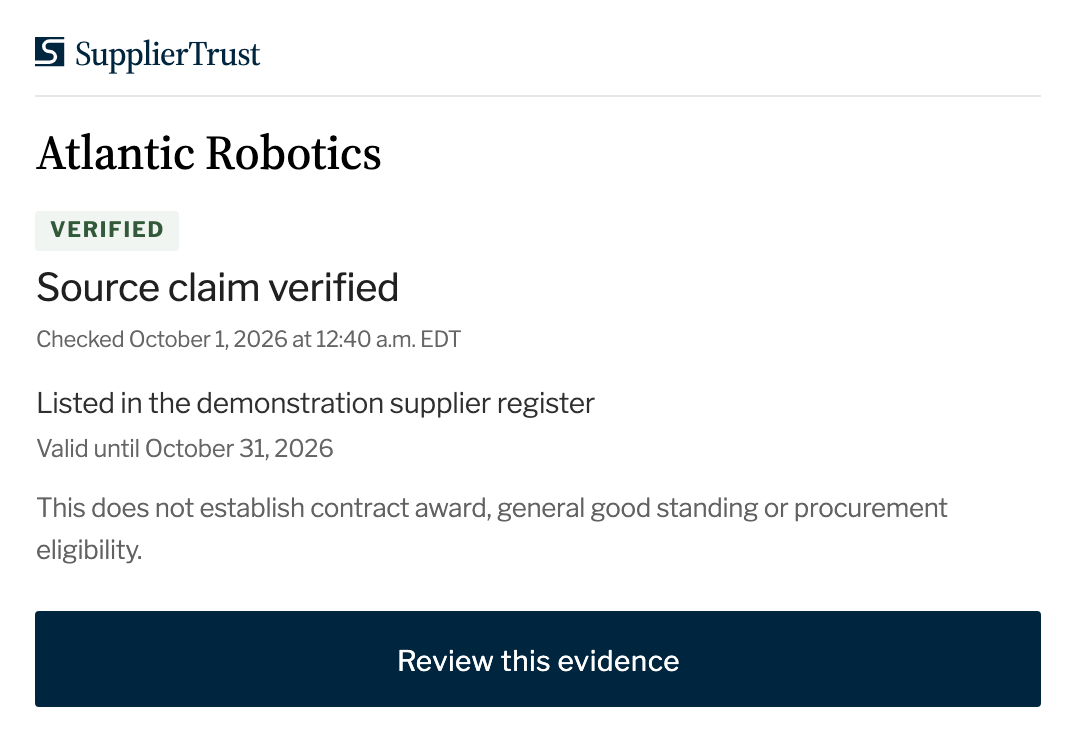
The badge’s page on the supplier’s site, including what the claim does not establish. 3. A buyer checks it
One click on the badge, or a scan of its QR code on a printed page or PDF, runs every check and shows each result: the source and its age, the signatures, the public claims, the website and whether the credential has been revoked.
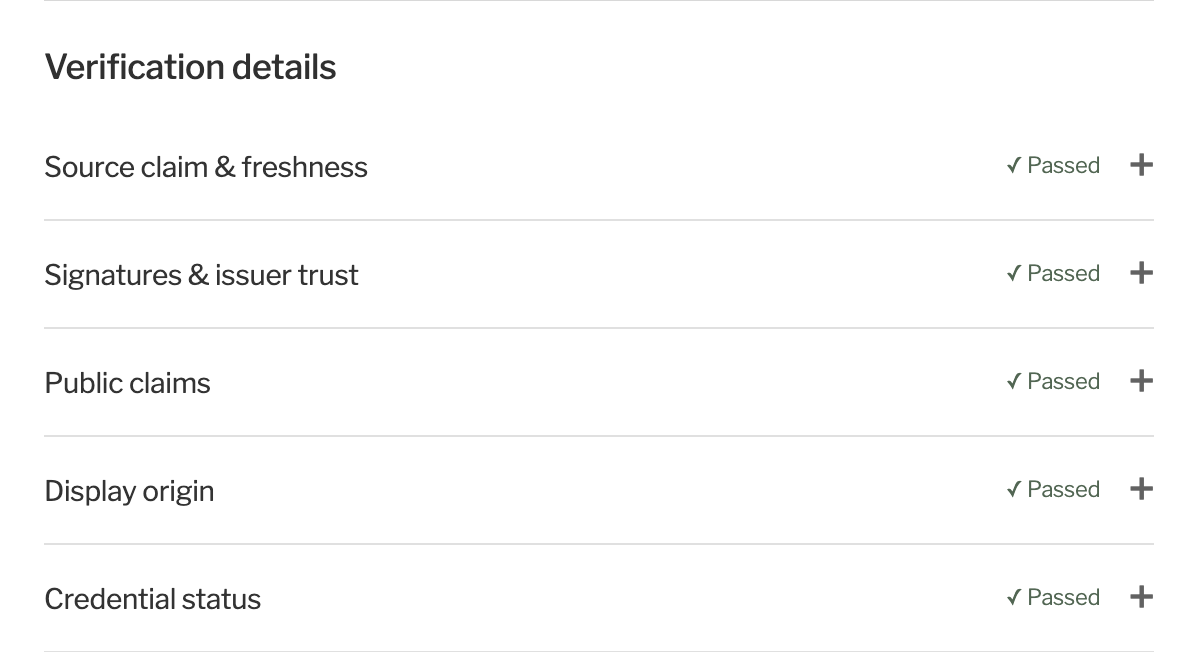
Five checks, each shown separately. 4. The buyer keeps a receipt
A successful check gives the buyer a signed receipt to save with the procurement file. The page also lists earlier checks from the same session, including failed ones and why they failed.
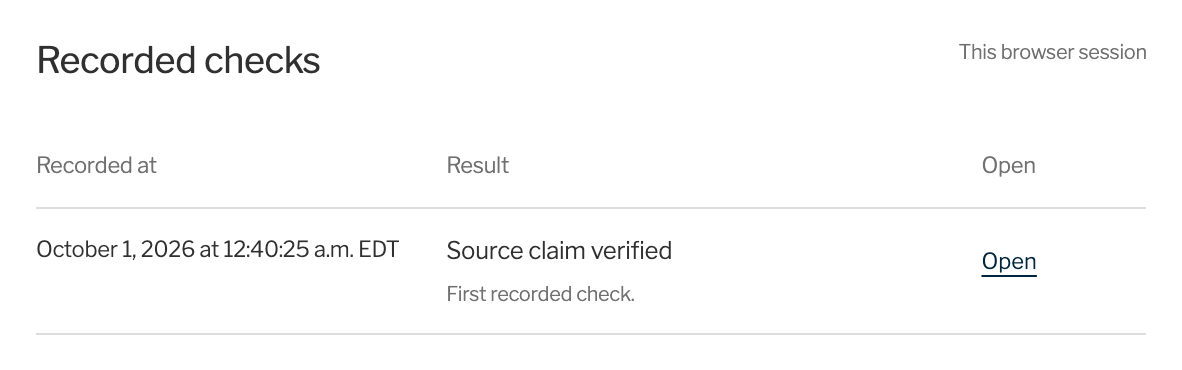
Earlier checks from the same session.
Other verification results
The four other results a buyer can see, as the prototype shows them.
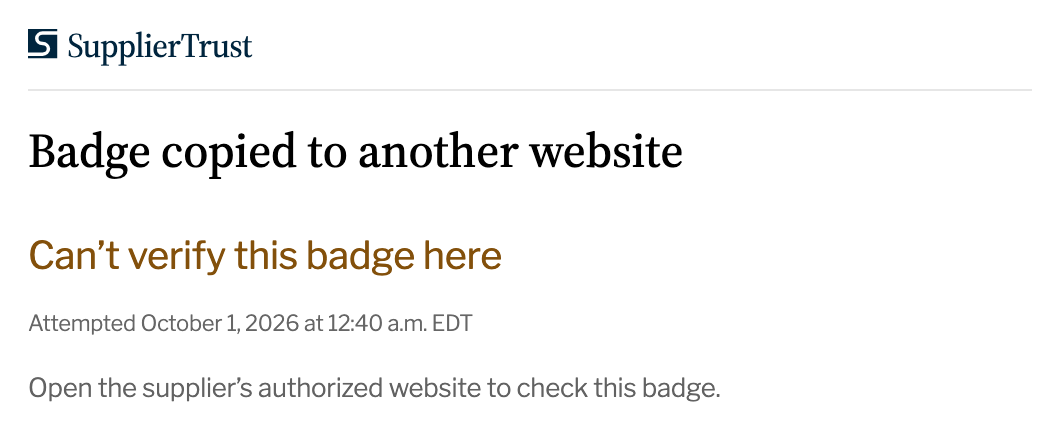
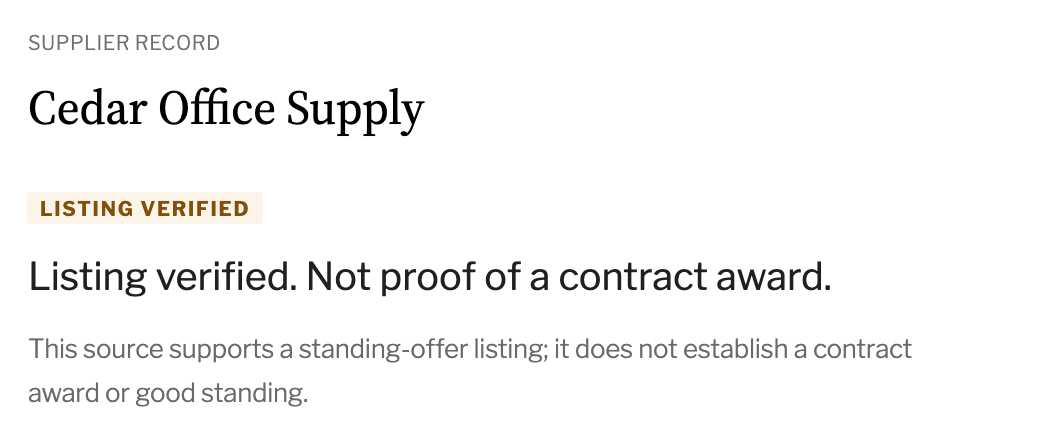
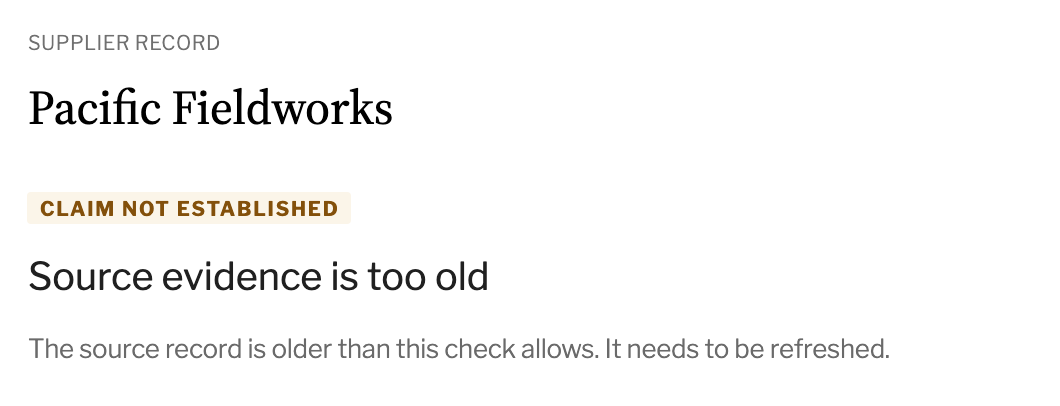
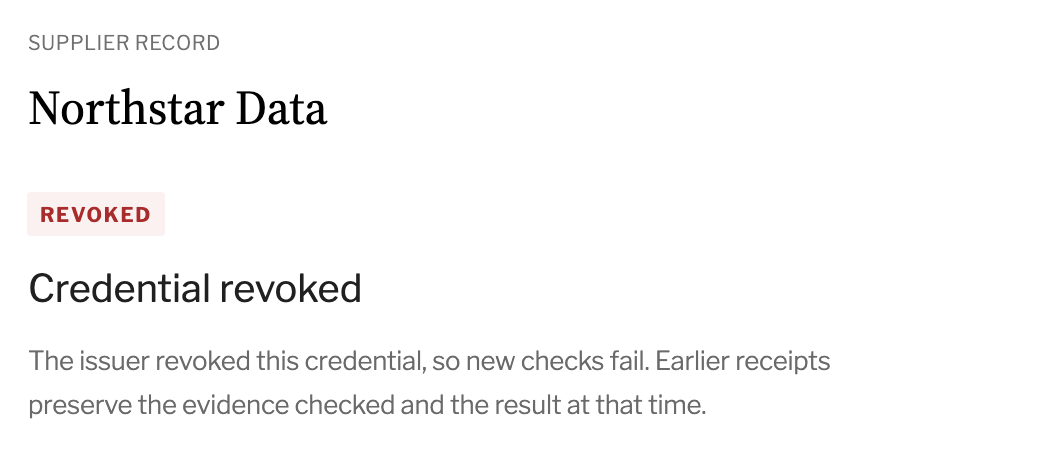
What visitors see on the badge
Three supplier business fields appear alongside the result, source context and verification details.
| Supplier name | As recorded in the designated source |
|---|---|
| Status in the source | Only what the source supports |
| Valid until | After this date, the claim needs a fresh source |
Terms used on this site
- Buyer
- The contracting officer, or anyone else, who checks a supplier’s badge.
- Badge
- What the supplier shows on its website.
- Credential
- The signed record behind the badge, issued from the source record.
- Claim
- What the badge says about the supplier, limited to what the source supports.
- Source
- The list or register a claim comes from. The department approves which source a test uses.
- Source record
- The supplier’s entry in that source, signed with the time it was read.
- Receipt
- The signed record a buyer keeps after a successful check.
Open standards
SupplierTrust builds on W3C Verifiable Credentials, IETF SD-JWT for selective disclosure, the W3C Bitstring Status List for revocation and suspension, OpenID for Verifiable Credential Issuance (a prototype profile) and OpenID Connect. Independent conformance testing is planned.